A general dental practice in Denver had been posting on Instagram three times a week for two years. Engagement was reasonable. New patient inquiries from Instagram: close to zero.
The same practice had never used Google Posts. Not once. Their GBP knowledge panel, the surface that patients see at the exact moment they are deciding whether to book, was static, dateless, and showed nothing newer than the profile setup from 2021.
A competitor four blocks away was publishing two Google Posts per month. Service-focused, specific, brief. “Same-day emergency appointments available. Call before noon.” “Invisalign consultations now open, no referral needed.” That competitor held the top local pack position for every general dental query in the zip code.
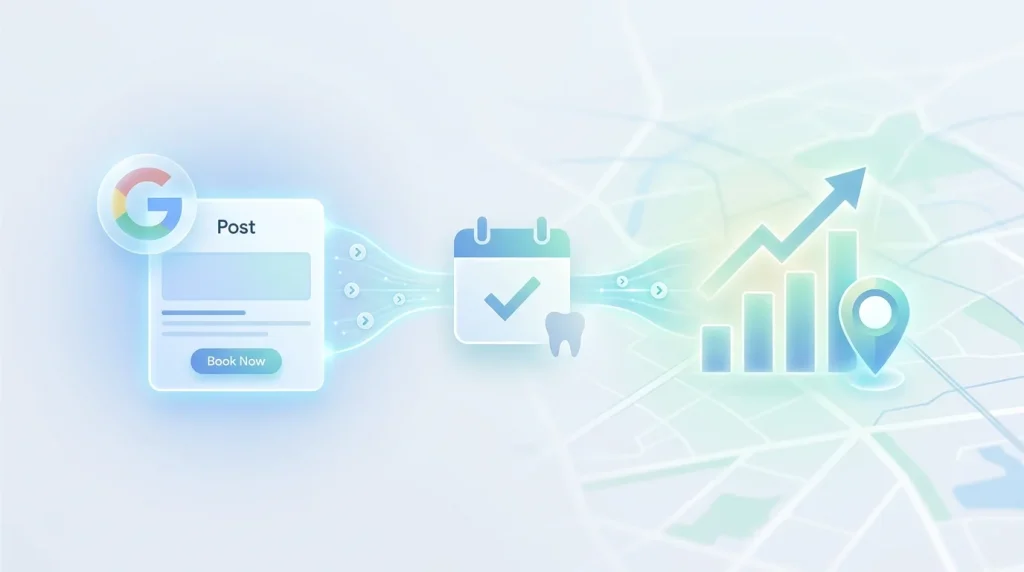
Google Posts are the only free content layer on your GBP that you control entirely and update in real time. They appear in your knowledge panel, in some Maps results, and increasingly in AI-generated local search answers. They extend your profile’s keyword surface area beyond its static fields. And they send a profile activity signal that Google interprets as evidence of an operational, engaged business.
Most dental practices ignore them. The ones that don’t are picking up visibility that their competitors are actively leaving on the table.
This guide covers everything a dental practice needs to know about Google Posts dental practice strategy: the post types that carry ranking weight, the content framework that converts browsers into booked patients, the posting cadence that builds a measurable activity signal, and the mistakes that make most dental posts invisible.
Table of Contents
What Google Posts actually do for a dental practice
Before writing a single post, it helps to understand the two distinct functions Google Posts serve because most guides treat them as one thing when they’re actually two.
Function 1: Indexed content that extends your keyword surface area. Every Google Post you publish is indexed by Google and associated with your business profile. The text content of your posts feeds Google’s entity model for your practice, the semantic understanding of what your practice offers, who it serves, and what queries it should surface for. A post about same-day emergency appointments adds a keyword signal for emergency dental queries. A post about Invisalign consultations adds a signal for orthodontic queries. Each post is a small but cumulative layer of content that builds on top of your static profile fields.
Function 2: A profile activity signal that feeds freshness scoring. Google’s local ranking algorithm evaluates recency and engagement as components of the prominence factor. A practice that publishes posts regularly, even twice a month, demonstrates active profile management. That activity signal is read by Google as evidence that the business is operational and attentive, which contributes to the trust dimension of prominence. A GBP that has never been posted to, or whose last post is from eighteen months ago, lacks this signal entirely.
These two functions operate simultaneously. A well-written post that names a specific service advances both functions at once; it adds keyword content to your entity model and registers as an activity event in your freshness scoring. A generic post (“Happy Holidays from our team!”) registers as an activity event but contributes nothing to keyword relevance. The content quality of your posts determines whether you get one function or both.
Where Google Posts appear
Posts appear in three distinct surfaces. Your GBP knowledge panel is the expanded profile view that opens when a patient clicks your listing in Maps or Search. Google Maps search results in some markets and for some query types, posts from nearby businesses appear directly in Google Maps results. And AI-generated local answers, Google’s Search Generative Experience, and Gemini increasingly pull structured content from GBP posts when generating answers to local service queries. A post that clearly states “same-day emergency dental appointments available in [city]” is precisely the kind of structured, citable content these systems look for.
The four post types available to dental practices
Google provides four post formats. Each has a specific use case. Using the right format for the right content type improves both display quality and conversion performance.
What’s new posts
The default post type. Used for service announcements, practice updates, clinical tips, and general practice news. Text only or text with an image. No expiration stays on your profile until you archive it or it’s pushed down by newer posts.
Best used for: service spotlights, new technology announcements, provider introductions, practice hours updates, and clinical education content.
Offer posts
Used for promotional content with a defined start and end date. Displays with a distinct “Offer” label in the knowledge panel. Requires a title, date range, and optional redemption code or link. Expires automatically on the end date.
Best used for: new patient specials, limited-time whitening promotions, and complimentary consultation offers. Google’s guidelines distinguish between an offer post (acceptable) and promotional language in your business description (not acceptable). The offer format is the correct channel for promotional content.
Event posts
Used for practice events with a defined date and time. Displays with an event label and a countdown. Requires a title, date range, and optional description and link.
Best used for: community health events, free screening days, patient appreciation events, and continuing education open houses.
Product posts
Used to highlight specific services or treatments as individual product entries. Displays in a dedicated products section of your knowledge panel. Requires a product name, optional description, optional price or price range, and optional call-to-action button.
Best used for: high-value procedures you want permanently visible in your knowledge panel, such as dental implants, Invisalign, teeth whitening, and full-mouth reconstruction. Product posts don’t expire and function as a persistent service showcase separate from the main post feed.
The content framework for Google Posts for a dental practice that converts
Most dental practices that do post fall into one of two failure patterns: they post generic content that has no service-specific keyword value, or they post promotional content that reads as advertising rather than information. Neither pattern produces meaningful ranking or conversion results.
The three-sentence post structure
Every effective dental Google Post follows a three-sentence structure. Each sentence has a specific job.
Sentence 1: Service identification and availability signal. Name the specific service or situation you’re posting about. Be explicit. “Same-day emergency dental appointments are available at [Practice Name] in [City].” That sentence contains a service name, an availability signal, a practice name, and a location with four indexable data points in one sentence.
Sentence 2: Patient benefit or problem solved. One sentence explaining what this service does for the patient in plain language. “We treat toothaches, broken teeth, lost fillings, and dental abscesses. Most emergency cases are seen the same day you call.” That sentence names four specific emergency scenarios a patient might be searching for and reinforces the availability signal from sentence one.
Sentence 3: Call to action. One clear next step. “Call us before noon for a same-day appointment, or book online through our website.” No ambiguity. One action, one channel.
Three sentences. Sixty to ninety words. One service. One patient’s problem. One call to action. That structure produces a post that is indexable, readable on mobile in under fifteen seconds, and actionable without requiring the patient to navigate elsewhere for context.
The posting cadence that builds a measurable activity signal
Cadence matters as much as content. A single well-written post published once and never followed up on produces a one-time activity event. A consistent posting schedule produces a cumulative freshness signal that compounds over time and is visible in Google’s local ranking behavior within sixty to ninety days.
The minimum effective cadence for dental practices
Two posts per month is the floor. Below that threshold, the gaps between posts are long enough that Google’s freshness scoring treats your profile as periodically inactive rather than consistently engaged. Consistency of interval matters more than volume within a short window; two posts per month published every month outperforms eight posts in one week, followed by six weeks of silence.
A twelve-month posting calendar for dental practices
January: New year dental checkup availability + dental insurance benefits reset reminder. February: Children’s dental health month pediatric appointment availability + fluoride treatment spotlight. March: Spring scheduling new patient openings + teeth whitening ahead of spring events. April: Oral cancer awareness month screening availability + early detection information. May: Mother’s Day cosmetic consultation spotlight + smile makeover availability. June: School’s out, pediatric and orthodontic appointment availability + back-to-school exam reminder. July: Summer emergency coverage, same-day emergency appointment availability + sports mouthguard spotlight. August: Back-to-school pediatric exam availability + orthodontic evaluation spotlight. September: Fall scheduling new patient openings + dental implant consultation availability. October: Dental hygiene month, preventive care spotlight + teeth cleaning availability. November: Use your dental insurance before year-end, remaining benefits reminder + scheduling availability. December: Holiday scheduling reduced hours notice + emergency coverage availability.
Each topic maps directly to a patient search behavior pattern that peaks in the corresponding month. The calendar is not an editorial exercise; it is a keyword relevance strategy aligned to patient search seasonality.
Publish your first post of the month in the first week and your second post in the third week. Set a recurring calendar reminder for the first and third Monday of every month. The entire process, selecting the topic, writing the three-sentence structure, adding an image, and publishing, takes under fifteen minutes per post once the framework is established.
Post image strategy: when to include one and what to use
Every post format except offer posts displays better with an image. An image increases the visual footprint of your post in the knowledge panel and improves click-through rates from patients browsing your profile.
Minimum dimensions: 400 x 300 pixels. Recommended: 1200 x 900 pixels. Format: JPG or PNG. File size: under 5MB. Post images display in a fixed 4:3 aspect ratio. Check how your image displays after uploading before considering the post complete.
Use service-context photos already in your GBP photo panel: a treatment room photo for a procedure post, an exterior photo for a seasonal post, and a team photo for a provider introduction. Never use stock images, promotional graphics with text overlays, or images repurposed from social media that have been resized or compressed.
Common Google Posts mistakes that waste the content layer
Posting only promotional content
A GBP post feed that reads as a promotional catalogue trains patients to ignore it and signals to Google that your content is marketing copy rather than service information. The ratio should be roughly four informational or service-spotlight posts for every one promotional offer.
Writing posts that don’t name a specific service
“We are here for all your dental needs” contains zero indexable service signals. It registers as a profile activity event and nothing else. Every post should name at least one specific service, procedure, or patient scenario. The same sentence rewritten as “Same-day appointments available for toothaches, broken teeth, and lost fillings” adds emergency dental keyword signals to your entity model with the same effort, in the same word count.
Ignoring the call to action
A post that describes a service but provides no next step produces browser behavior rather than booking behavior. Every post ends with one clear action: call, book online, or visit the website. One action with multiple options creates decision paralysis that produces zero-conversion outcomes.
Letting posts go stale without replacement
The timestamp on every post is publicly visible to every patient who opens your knowledge panel. A post dated eight months ago communicates active neglect at the exact moment a patient is evaluating whether to book. Post recency is one of the few GBP signals visible to patients in real time.
Treating Google Posts as a social media channel
GBP post audiences are evaluating that they’re already in the consideration phase of the patient acquisition funnel when they see your post. Content appropriate for social media is not appropriate for Google Posts. Every post should be written for a patient who is 30 seconds away from booking, not for a patient scrolling a feed with no specific intent.
This content discipline connects directly to the broader GBP visual strategy in the dental GBP photos optimization guide. Posts and photos occupy different sections of your knowledge panel but serve the same purpose at the information stage, one at the conversion stage. For practices ready to extend their GBP content strategy into video, the highest-engagement content format available on the platform, the framework is covered in the Google Business Profile video guide for dental practices.
Key takeaways
- Google Posts serve two simultaneous functions: keyword surface area extension and profile activity signaling. A service-specific post advances both. A generic post advances only one. Write every post for both functions, or you’re leaving ranking value on the table.
- Two posts per month, published consistently, outperform eight posts in one week followed by silence. Consistency of interval matters more than volume within a short window. Set calendar reminders for the first and third Monday of every month.
- The three-sentence structure produces posts that rank and convert. Service identification and availability signal. Patient benefit or problem solved. One clear call to action. Sixty to ninety words. One service. Every time.
- Post content should be service-specific, not promotional. A ratio of four informational posts for every one offer post builds keyword relevance over time while preserving the credibility of the occasional promotional post.
- Post recency is publicly visible. The timestamp on every post is displayed to every patient who opens your knowledge panel. A post dated eight months ago communicates active neglect at the exact moment a patient is evaluating whether to book.
Your next action this week
Open your GBP dashboard and check the date of your most recent post. If it is more than thirty days old or if you have never published a post today, use the three-sentence structure above.
Pick one service your practice wants to grow over the next ninety days. Write sentence one: name the service and signal its availability. Write sentence two: name the specific patient problem it solves. Write sentence three: give one clear next step. Add a photo from your existing GBP photo panel. Publish.
Then set two recurring calendar reminders, first and third Monday of every month, and assign a specific topic to each slot using the twelve-month calendar above. The entire monthly commitment is thirty minutes. The cumulative ranking and conversion impact of those thirty minutes, sustained over twelve months, is measurable in GBP insights data and in new patient inquiry volume.
For the complete content strategy that connects your Google Posts dental practice activity to your photo layer, your cover photo, and your video content as a unified GBP signal system, the complete GBP photos and content guide for dental practices brings all four content layers together in one place.