Walk into any dental practice in America and ask the office manager which Google Business Profile attributes dental profiles should have active. Most will look at you blankly. A few will say they filled something in during setup. Almost none will be able to name the specific attributes their profile currently displays, or explain why those attributes were selected.
That gap is a ranking opportunity.
Google Business Profile attributes for dental practices are structured data fields that communicate specific practice characteristics directly to Google’s local search algorithm. According to Sterling Sky’s GBP research, attribute completeness is a measurable signal in local pack eligibility, not the dominant one, but a consistent differentiator in competitive markets where the top three profiles are otherwise closely matched on category, proximity, and review volume.
This guide identifies every Google Business Profile attribute a dental practice should prioritize, explains which ones carry genuine ranking weight versus which are purely patient-facing, and gives you a decision framework for selecting attributes that align with how your patients actually search.
Table of Contents
What Google Business Profile attributes are, and how Google uses them
Attributes are predefined descriptors that appear on your GBP listing and feed Google’s understanding of what your practice offers, how it operates, and who it serves. They fall into two functional categories, and understanding the distinction matters before you start selecting them.
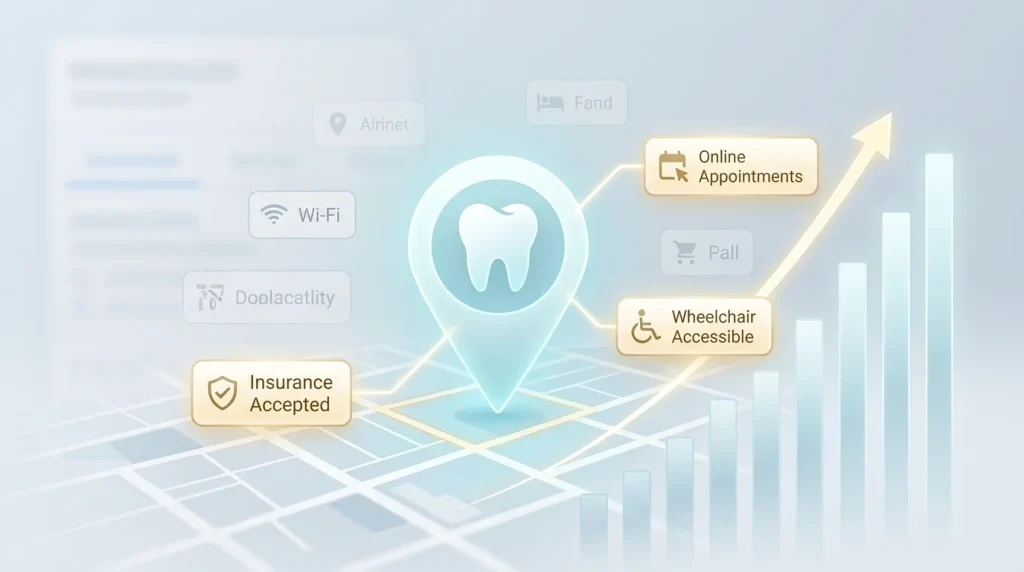
Factual attributes are objective, verifiable characteristics: whether you accept new patients, whether you offer online appointments, whether your facility is wheelchair accessible, and whether you accept specific insurance types. Google can cross-reference these against third-party data sources, your website, your booking system, and your insurance directory listings. Consistency between your GBP attribute selections and your real-world operations reinforces your profile’s trust signals.
Subjective attributes are crowd-sourced descriptors that Google and patients can suggest independently of what you’ve selected: “good for kids,” “friendly staff,” “good for complex cases.” You can’t directly control these — they’re applied based on review content and user feedback. But your selections of factual attributes influence which subjective attributes are likely to surface over time. The relationship between attribute signals and review accumulation is covered in more depth in the guide to getting more Google reviews for your dental practice.
From a ranking perspective, factual attributes carry the direct signal weight. Subjective attributes contribute to click-through and conversion behavior, which in turn feed engagement signals back into Google’s local ranking system.
How Google Business Profile attributes interact with patient search queries
The mechanism is more specific than most guides acknowledge. When a patient searches “dentist accepting new patients near me” or “dental office with Saturday hours,” Google doesn’t just scan your business description for those phrases. It reads your structured attribute data because structured data is more reliable and consistent than free-text fields.
A practice that has explicitly enabled the “Accepting new patients” attribute and listed Saturday hours in its operating schedule is structurally favored for those queries over a practice that mentions the same information only in its description. Structured beats unstructured in Google’s data processing hierarchy.
This is the core reason Google Business Profile attribute completion matters: it converts information you probably already have, your hours, your accessibility features, and your booking options, into a format Google reads as a direct ranking signal rather than inferred context.
Google Business Profile attributes that dental practices must prioritize
Not all attributes carry equal weight. The following breakdown separates high-impact attributes from secondary attributes that are worth enabling but don’t directly move the needle on rankings.
High-impact attributes: enable these first
Accepting new patients. This is the single most important attribute for patient acquisition. “Dentist accepting new patients near me” and its variants represent a significant share of high-intent dental searches, patients actively ready to book, not just browsing. If this attribute is not enabled on your GBP, you are invisible to that query segment regardless of your ranking position for general dental terms.
Verify this attribute is set correctly after every associate departure or practice acquisition. Practices that undergo frequent ownership changes often have this attribute set to “not accepting” without anyone noticing.
Online appointments. Enabling this attribute and connecting it to a functional booking link in your scheduling software, your website’s booking page, or a third-party platform like Zocdoc directly feeds Google’s “Book online” button in the local pack. Practices with active booking integrations receive a visible conversion advantage in search results. Patients who can book without calling convert at higher rates, particularly in the under-45 demographic, according to the BrightLocal Local Consumer Review Survey, 2024.
Wheelchair accessible entrance and restroom. Accessibility attributes serve two functions simultaneously. They are ADA-compliant communication signals for patients with mobility needs, a significant and underserved population. And they are structured data points that Google uses to match searches that include accessibility intent. Enable every accessibility attribute that accurately describes your facility. Do not enable attributes your facility cannot actually support this creates patient experience failures that generate negative reviews.
Health and safety attributes. Post-pandemic, a subset of patients continues to filter specifically for practices with explicit infection control and safety protocols. Google surfaces health and safety attributes prominently in the knowledge panel for health-category businesses. Enabling mask policies, staff vaccination status, and appointment-only access where applicable signals practice quality to a patient segment that weighs these factors heavily in provider selection.
Secondary attributes worth enabling
These attributes don’t carry the same direct ranking weight as the high-impact group above. They influence click-through behavior, patient filtering, and the accumulation of subjective attribute signals over time. Enable everyone who accurately describes your practice.
Insurance and payment attributes. Google provides structured fields to indicate whether you accept insurance, offer sliding-scale fees, or provide financing options. These are patient decision filters more than ranking signals, but patient filtering behavior influences click-through and engagement metrics, which feed back into local ranking over time. If you accept CareCredit, Medicaid, or specific major insurers, enable every applicable payment attribute. A patient who filters for “dentist that accepts Medicaid” and finds your profile correctly attributed is a conversion. The same patient, finding a blank field, moves to the next result.
Language attributes. If your practice serves patients in languages other than English, Spanish, Mandarin, Portuguese, and Tagalog, enable the corresponding language attributes. Bilingual dental care is a genuine differentiator in many US metro markets, and patients actively search for it. “Dentist that speaks Spanish near me” is a real, recurring query in markets with large Hispanic populations. A correctly attributed bilingual practice captures that traffic by default. One without the attribute does not.
Appointment required. This attribute communicates the practice access model to both patients and Google. Walk-in practices should leave it disabled or set to “not required.” Appointment-only practices should enable them to reduce no-shows from patients who arrive expecting walk-in access, particularly relevant for emergency dental practices, where access model expectations vary widely, and it accurately signals your operational model to Google’s local search categorization.
Gender of provider. Available in some markets, this attribute allows practices with female-identifying dentists to surface for patients who specifically search for a female provider. It’s a niche signal but a high-conversion one for the patients who use it. Enable it where applicable and accurate.
How to audit your dental GBP attributes quarterly
Most dental practices set their Google Business Profile attributes once during setup and never return to them. Two problems follow from that. First, Google periodically adds new attribute categories that weren’t available when the profile was first built. Second, practice operations change: new booking software gets added, hours expand to include evenings, and a second provider joins who speaks a new language. Attributes rarely get updated to reflect any of this.
Run this audit quarterly. It takes under ten minutes.
Step 1. Open your profile in Business Manager and navigate to Edit profile, then More. The attributes section lives here, not in the main info panel. Scroll through every available attribute category. Note which ones are currently enabled, which are disabled, and which exist that you haven’t touched.
Step 2. Cross-reference against your current operations. For every attribute you find disabled, ask one question: Does my practice actually offer or support this? If yes, enable it. Pay particular attention to booking and appointment attributes, which change most frequently as practices adopt new scheduling tools.
Step 3. Check for new attribute categories Google has added since your last audit. Google adds attributes without notifying profile owners. The health and safety category expanded significantly in 2021 and again in 2023. Accessibility attributes were refined in 2024. If you haven’t opened this section in twelve months, assume there are new options you haven’t seen.
Step 4. Verify consistency between your attributes and your website. If your GBP says “online appointments available” but your website has no functional booking link, Google’s systems register a consistency problem, and patients who click through expecting to book online leave immediately. Every attribute you enable must be backed by a real operational reality visible on your website.
Attribute mistakes that quietly suppress dental GBP performance
Enabling attributes that don’t reflect reality
This is the most damaging error in the category. A practice that enables “wheelchair accessible entrance” but has a step at the front door generates negative reviews from patients who relied on that attribute. A practice that enables “online appointments” with a broken booking link loses high-intent patients at the moment of conversion. Inaccurate Google Business Profile attributes can create patient experience failures, negative reviews, short visits, and high bounce rates that are harder to recover from than simply leaving the attribute blank.
Ignoring attributes because the section feels minor
The attributes panel sits below the more visible fields in Business Manager. That placement creates a psychological hierarchy that makes it feel less important. It isn’t. In competitive urban markets where five dental practices sit within three blocks of each other, and all have complete profiles, attributes are among the few remaining differentiation levers. A practice that has correctly enabled “accepting new patients,” “online appointments,” and “wheelchair accessible” against a competitor that hasn’t is structurally advantaged for three distinct patient search segments simultaneously.
Conflating attributes with services
Services and attributes answer different questions. Services tell Google what procedures you perform. Attributes tell Google how your practice operates and who it serves. A practice that lists “dental implants” in its services section but hasn’t enabled relevant operational attributes, such as online appointments, accepting new patients, and insurance acceptance, has answered the “what” without answering the “how.” Both layers are required for full local search eligibility.
This distinction connects directly to the work done in the step-by-step GBP setup guide for dental practices and the complete guide to GBP categories for dentists. Categories define your ranking pool. Services define your procedure relevance. Google Business Profile attributes dental practices, configure, and define your operational signals. All three layers work together; a gap in any one of them costs you patients, the others would have delivered.
Key takeaways
Attributes are structured data, not decorative labels. Google reads them as direct ranking signals for specific patient search queries. Structured data consistently outperforms the same information buried in free-text description fields.
“Accepting new patients” and “online appointments” are your highest-priority attributes. Both directly feed high-intent patient queries and Google’s booking integration. If only two Google Business Profile attributes your dental profile has enabled today, make sure it’s these two.
Accessibility attributes serve a patient population and a ranking function simultaneously. Enable everyone who accurately reflects your facility. Never enable an attribute your practice cannot operationally support.
Attributes need quarterly audits, not annual ones. Google adds new attribute categories without notifying profile owners. Operations change. A profile built in 2023 and never updated since is missing attribute options that didn’t exist at setup.
Attributes, categories, and services are three distinct signal layers. A gap in any one of them reduces your eligibility for the patient queries that the other two would have captured. Complete all three.
Your next action this week
Open Business Manager, navigate to Edit profile, then More, and spend ten minutes in the attributes panel. Enable “Accepting new patients” if it isn’t already active. Connect your online booking link if it isn’t already integrated. Then scroll through every remaining attribute category and enable everything that accurately describes how your practice operates today.
When you’re done, open your practice website in a separate tab and verify that every Google Business Profile attribute your dental listing now shows is backed by something visible and functional on the site. A booking attribute with no booking link, an insurance attribute with no insurance page, these are consistency gaps that cost you the conversion the attribute was supposed to deliver.
The practices ranking consistently in the local three-pack in competitive US markets aren’t doing anything exotic. They have correct categories, complete services, active attributes, and consistent NAP signals. Each layer reinforces the others. The complete Google Business Profile optimization guide for dental practices shows how all these layers interact as a unified ranking system, and where most practices have the largest gaps relative to their direct competitors.