A dental practice in Houston spent four months trying to rank for “pediatric dentist near me.” Their profile was verified, fully completed, and loaded with five-star reviews. They weren’t showing up. The problem wasn’t their reviews, their photos, or their website. It was a single field: their GBP primary category was set to “Dental clinic” instead of “Dentist,” and their secondary category for Pediatric Dentist had never been added.
One category correction and a secondary category addition later, they entered the local three-pack within six weeks.
Category selection is the highest-leverage, lowest-effort ranking lever in your entire GBP. According to the Whitespark Local Search Ranking Factors Report 2023, the primary GBP category is ranked among the top three most influential local pack ranking factors above review count, above photo volume, and above posting frequency. Yet it’s the field most dental practices fill in once during setup and never revisit.
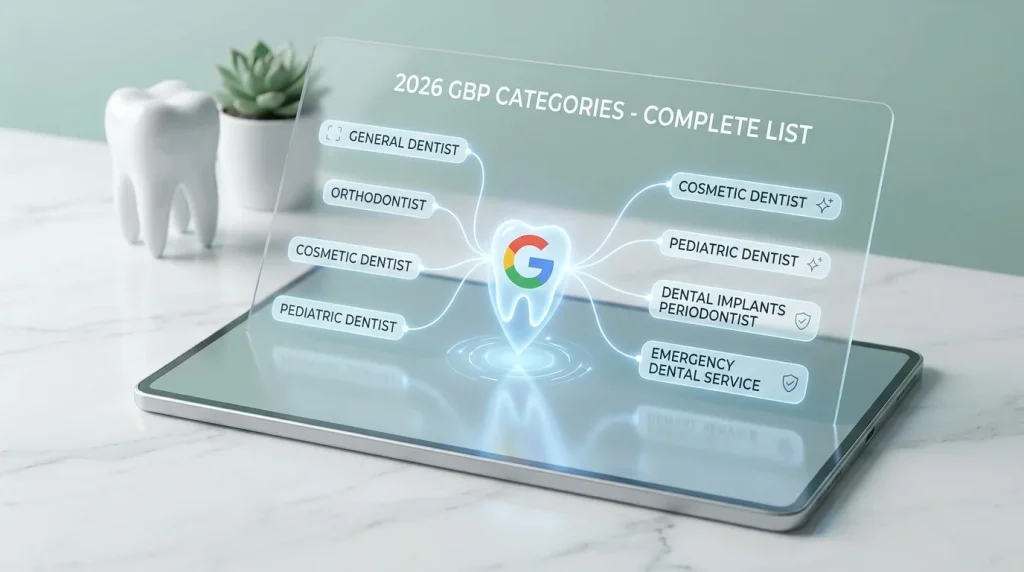
This guide gives you the complete list of GBP categories for dentists available in Google’s taxonomy as of 2026, explains how primary versus secondary categories work differently, and tells you exactly which combination to select based on your practice type.
Table of Contents
How GBP categories actually work and why the distinction between primary and secondary matters
Google’s business category system is not a tag cloud. It’s a ranking pool assignment mechanism. When you select a primary category, you are telling Google which competitive bracket your practice belongs to, and Google uses that assignment to determine which local pack searches you’re eligible to appear in.
This has a concrete consequence: two dental practices with identical proximity to a searcher, identical review scores, and identical website authority will rank differently if they’ve selected different primary categories. The one assigned to “Dentist” will surface for general dental queries. The one assigned to “Dental clinic” may not, because Google treats those as distinct categories with partially overlapping but not identical search pools.
Secondary categories extend your eligibility without diluting your primary signal. They tell Google: this practice also provides these services, and should be considered for these additional query types. But they carry less weight than your primary, which is why stacking five secondary categories does not compensate for a wrong primary.
The primary category rule for dental practices
For the overwhelming majority of dental practices in the United States general, family, and multi-specialty the correct primary category is one word: Dentist.
Not “Dental clinic.” Not “Dental laboratory.” Not “Cosmetic dentist” even if cosmetic procedures represent a significant share of your revenue. “Dentist” is the category Google maps to the broadest, highest-volume dental search queries in the US market, including “dentist near me,” “dentist open now,” “family dentist [city],” and “dentist accepting new patients.”
Selecting any other category as your primary, even a technically accurate one like “Cosmetic dentist,” narrows your eligibility pool from the start. You can always add Cosmetic Dentist as a secondary category to capture that traffic. You cannot recover the general dental visibility you forfeited by making it your primary.
The one exception: pure specialty practices that do not provide general dental care should use their specialty as the primary. An orthodontic-only practice should lead with “Orthodontist.” An oral surgery practice should lead with “Oral surgeon.” The rule is: your primary category should reflect the query a new patient who knows nothing about your specialty would type to find you.
The complete list of GBP categories for dentists 2026
Google’s category taxonomy updates periodically. The following list reflects verified available categories as of early 2026, confirmed against active GBP listings in the US market.
Primary category: select one only
| Category | Use when |
| Dentist | General, family, or multi-specialty practice |
| Orthodontist | Orthodontic-only or orthodontic-primary practice |
| Oral surgeon | Surgical-only practice (extractions, implants, jaw surgery) |
| Periodontist | Periodontal disease and gum surgery specialty |
| Endodontist | Root canal specialty practice |
| Pediatric dentist | Children-only or pediatric-primary practice |
| Prosthodontist | Full-mouth reconstruction, dentures, implant prosthodontics |
Secondary categories add all that apply to your services
General and family care
- Emergency dental service
- Dental hygienist
Cosmetic and restorative
- Cosmetic dentist
- Teeth whitening service
- Dental implants provider (where available in your market)
Specialty expansions
- Orthodontist (if you offer in-house ortho alongside general care)
- Pediatric dentist (if you actively treat children)
- Oral surgeon (if you perform surgical extractions or implant placement)
- Endodontist (if you perform root canals in-house)
- Periodontist (if you treat gum disease beyond basic scaling)
Accessibility and care model
- Dental school (teaching practices only)
- Community health centre (FQHC-affiliated practices)
Categories to avoid
Two categories appear in Google’s taxonomy and cause consistent problems for dental practices that select them:
“Dental clinic” functions as a catch-all that Google treats as lower specificity than “Dentist.” In head-to-head competitive markets, profiles categorized as “Dental clinic” consistently underperform “Dentist” profiles with otherwise identical signals. There is no scenario in which a patient-facing dental practice should prefer this category.
“Dental laboratory” exists for lab businesses, not clinical practices. Selecting it by mistake (it appears near “Dentist” in some autocomplete flows during setup) misclassifies your practice entirely and can suppress it from patient-facing queries for weeks until corrected.
How to choose the right category combination for your practice type
The list above gives you the available options. This section tells you exactly which combinations to use based on how your practice is structured so you’re not guessing.
General and family dentistry practice
Primary: Dentist Secondary: Emergency dental service + any specialties performed in-house
This is the most common practice type in the US and the most straightforward category decision. “Dentist” captures your core patient acquisition queries. “Emergency dental service” as a secondary is consistently underused practices that add it gain visibility for high-intent, same-day search queries (“emergency dentist near me open now”) that convert at significantly higher rates than routine appointment searches.
Add specialty secondaries only for procedures you actively perform and want to rank for. If you place implants, add “Oral surgeon” as a secondary. If you straighten teeth with Invisalign or braces, add “Orthodontist.” If your hygiene team handles scaling and root planing, consider “Periodontist.” The test: would a patient searching specifically for that specialty find your practice a credible result? If yes, add it. If not, leave it out.
Multi-specialty group practice
Primary: Dentist Secondary: All applicable specialties performed on-site Orthodontist, Oral surgeon, Periodontist, Pediatric dentist, Cosmetic dentist, Emergency dental service
Group practices have the most to gain from a complete secondary category stack because they legitimately provide the broadest range of services. The risk here is over-claiming, adding specialties that are handled by referral rather than in-house. Google’s guidelines require your categories to reflect services actually available at the listed location. A category mismatch between your GBP and your actual service menu is a guideline violation exposure point.
If you have multiple locations, each location’s GBP should reflect only the specialties available at that physical address, not the group’s combined offering.
Orthodontic-only practice
Primary: Orthodontist Secondary: Cosmetic dentist, Teeth whitening service (if applicable)
This is the clearest exception to the “Dentist as primary” rule. A practice that only sees orthodontic patients and does not provide general dental care will not benefit from “Dentist” as its primary category, which pulls general dental queries that your practice cannot serve. “Orthodontist” as primary correctly positions you for “orthodontist near me,” “braces [city],” and “Invisalign provider” queries.
Pediatric-only practice
Primary: Pediatric dentist Secondary: Dentist, Emergency dental service
“Pediatric dentist” captures the specific parent-driven search queries that drive this practice type: “pediatric dentist near me,” “kids dentist [city],” “dentist for toddlers.” Adding “Dentist” as a secondary maintains eligibility for broader queries where parents may not use the specialty term. “Emergency dental service” captures urgent pediatric cases, which are a significant same-day revenue driver for children’s practices.
Oral surgery and implant-focused practice
Primary: Oral surgeon Secondary: Dentist, Dental implants provider (where available)
Practices built around implant placement, full-arch restorations, and surgical extractions should lead with “Oral surgeon.” The “Dental implants provider” category is not universally available across all US markets; check whether it appears in your category search during GBP setup. Where it exists, it directly captures high-intent implant queries that represent some of the highest patient lifetime value in the dental category.
Common category mistakes that cost dental practices local pack visibility
Adding every available category
More is not better. Google’s systems interpret an implausibly broad category stack, a solo general dentist listing eight specialty categories as a credibility signal problem. Select only categories that accurately reflect your actual service menu. The quality of your category match matters more than the quantity of categories listed.
Changing your primary category repeatedly
Each primary category change triggers a re-evaluation of your profile’s ranking eligibility. Practices that switch primary categories multiple times in a short window, often during a misguided optimization attempt, experience ranking volatility that can take months to stabilize. Set your primary category correctly once, based on the framework above, and leave it alone unless your practice model genuinely changes.
Ignoring category updates in Google’s taxonomy
Google adds, removes, and renames categories periodically. “Dental implants provider” is a relatively recent addition. Categories that existed two years ago may have been consolidated or renamed. Audit your GBP category selections once per year, set a calendar reminder and verify that your current selections still exist exactly as listed and remain the best available match for your practice.
Treating category selection as separate from the rest of your GBP signals
Category selection works in combination with your services list, your business description, and your website content. A practice correctly categorized as “Pediatric dentist” but with no mention of children’s dentistry in their services, description, or website sends conflicting signals to Google. Your category selection should be the headline and every other GBP field should reinforce it.
This is why the step-by-step GBP setup guide for dental practices treats category selection as Step 4 in a sequence, not as an isolated decision. And it’s why understanding which GBP attributes actually impact your local ranking matters once your categories are locked in.
Key takeaways
- Primary category is a ranking pool assignment, not a label. “Dentist” is the correct primary for general, family, and multi-specialty practices in the US. It covers the broadest, highest-volume dental search queries. Any other primary narrows your eligibility from the start.
- Secondary categories extend reach without diluting your primary signal. Add every specialty you actively perform in-house. Do not add categories for services handled by referral or not available at that physical location.
- “Dental clinic” underperforms “Dentist” in competitive markets. There is no patient-facing practice scenario where “Dental clinic” is the stronger primary choice. If your GBP currently shows this category, correct it.
- Category stacking without signal alignment backfires. Your services list, business description, and website content must reinforce your category selections. Mismatched signals across these fields introduce ranking noise.
- Audit your categories once per year. Google updates its taxonomy periodically. A category that was optimal in 2024 may have been renamed, consolidated, or superseded by a more specific option in 2026.
Your next action this week
Open your GBP in Business Manager right now and check two things. First: What is your current primary category? If it reads anything other than the correct option for your practice type, use the framework in this article to identify what it should be, change it once and leave it alone. Second: How many secondary categories do you have listed? Pull up your actual service menu and cross-reference it against the secondary category list above. Add every applicable category you’re missing. Remove any that don’t reflect services genuinely available at your location.
The entire audit takes under fifteen minutes. The ranking impact of getting this right compounds over every week your corrected profile is live, and the impact of leaving it wrong compounds in the opposite direction.
For the full picture of how GBP categories for dentists fit into your broader profile strategy, including how they interact with your attributes, photos, and post activity, the complete Google Business Profile optimization guide for dental practices covers the complete optimization framework in one place.